Voice reminders
Say the reminder before the thought is gone
When a task appears mid-conversation or while you are away from your keyboard, SpoknLog lets you speak it once and move on.
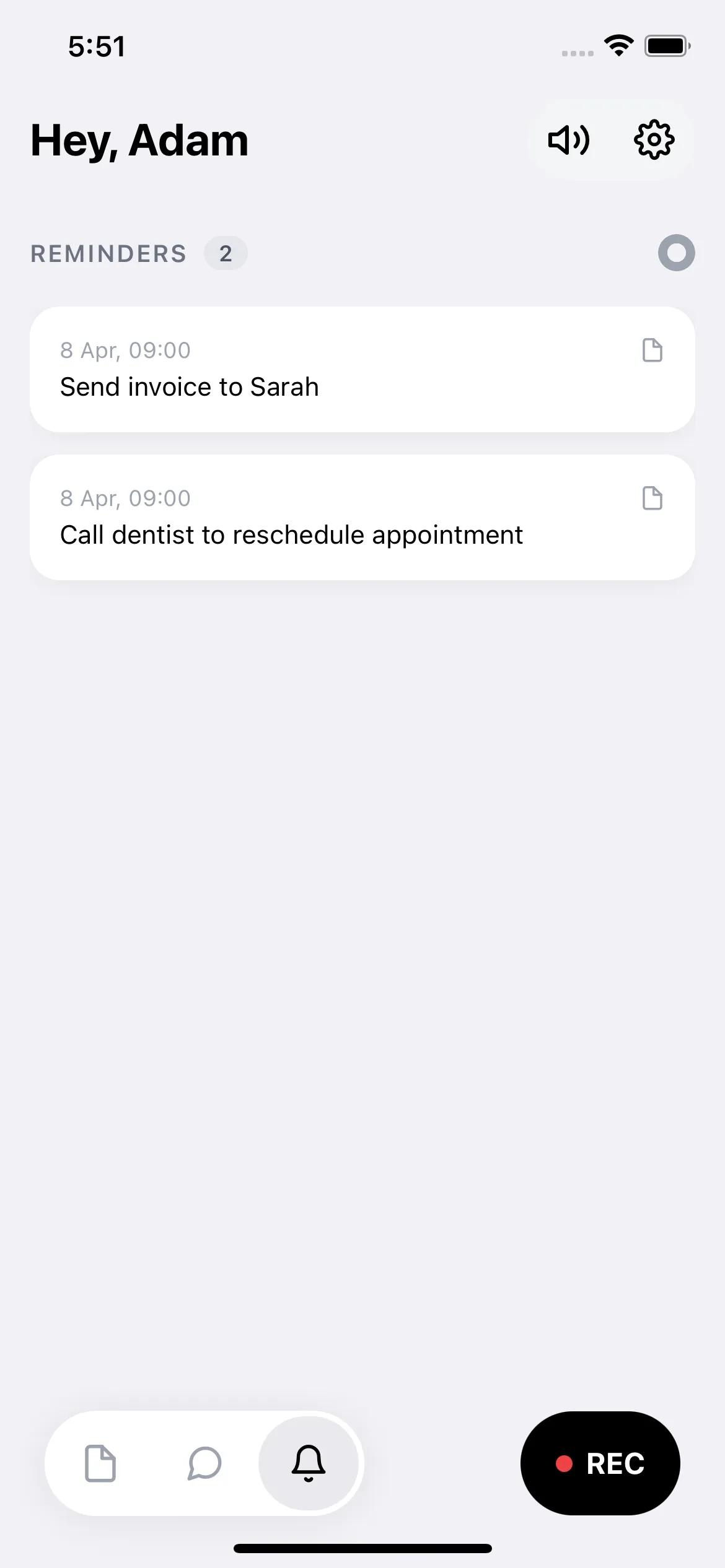
Create reminders with natural phrases like "tomorrow morning" or "Friday at 2".
Keep reminders connected to the surrounding voice note.
Ask later what you promised, even if you forget the exact wording.
How it works in practice
Speak the task
Say the reminder the way you would say it to yourself: call Anna tomorrow, send the proposal Friday, renew the subscription next week.
SpoknLog detects timing
The app extracts the reminder from your spoken note and prepares a notification for the right time.
Return to the context
The reminder is not isolated. You can still search the original note and ask what the task was connected to.
Useful when forms are too slow
Classic reminder apps work well when you are already focused on task entry. SpoknLog is for the messy moment when the task appears inside a thought, a call, or a quick voice note.
Questions you can ask later
- Remind me tomorrow to send the invoice.
- What did I need to do before the demo?
- Which follow-ups did I create this week?
- What was the context for calling Mark?
Hands-free
Hear answers spoken back while driving, cooking, or walking.
9 languages
English, Polish, German, Spanish, French, Italian, Slovak, Romanian, Ukrainian.
Audio deleted
Voice is transcribed, then removed. No data sold. No model training.
Frequently asked
Can I create a reminder by speaking naturally?
+
Yes. Phrases like "remind me tomorrow at 9 to call Mark" or "Friday morning send the proposal" are understood directly. SpoknLog extracts the date and time from your spoken note.
How is this different from the iOS Reminders app?
+
iOS Reminders is built around forms and lists. SpoknLog is voice-first: you say the task once, and the surrounding voice note stays attached so you can later ask why the reminder existed.
Are reminders timezone-aware?
+
Yes. SpoknLog uses your device timezone, so "tomorrow at 9" means 9 in your local time even if you travel.
Do I need to enable push notifications?
+
Yes. Reminders are delivered as push notifications, so iOS notification permission must be granted. You can turn reminders off at any time in settings.
Can I hear my reminders read back?
+
Yes. Answers about reminders and notes can be spoken back through text-to-speech, which is useful when driving or moving around.
Related
More ways to put SpoknLog to work.
AI meeting notes
Meeting notes you can capture before they disappear
Capture meeting decisions by voice, then ask SpoknLog what was agreed, who owns the next step, and what deadline you promised.
Searchable voice notes
Voice notes that answer back
Turn voice notes into a searchable AI memory. Record ideas and details on iPhone, then ask SpoknLog to find the answer later.
Voice Memos alternative
SpoknLog vs Apple Voice Memos
Compare SpoknLog with Apple Voice Memos for searchable notes, AI answers, reminders, privacy, and everyday memory capture.
Voice recorder alternative
SpoknLog vs ordinary voice recorder apps
Compare ordinary voice recorder apps with SpoknLog, an AI voice notes app that transcribes, summarizes, indexes, and answers questions from your notes.